
Websites for multi-academy trusts
We’ve got the tools for a trust load of schools. Trust Hub shows the central team every school’s DfE compliance and last inspection, Ofsted website alerts reach the trust as well as the school, and you can share links and alerts across every site from one place.
One familiar system across every school website in your trust, with updates and new features reaching all of them at the same time.
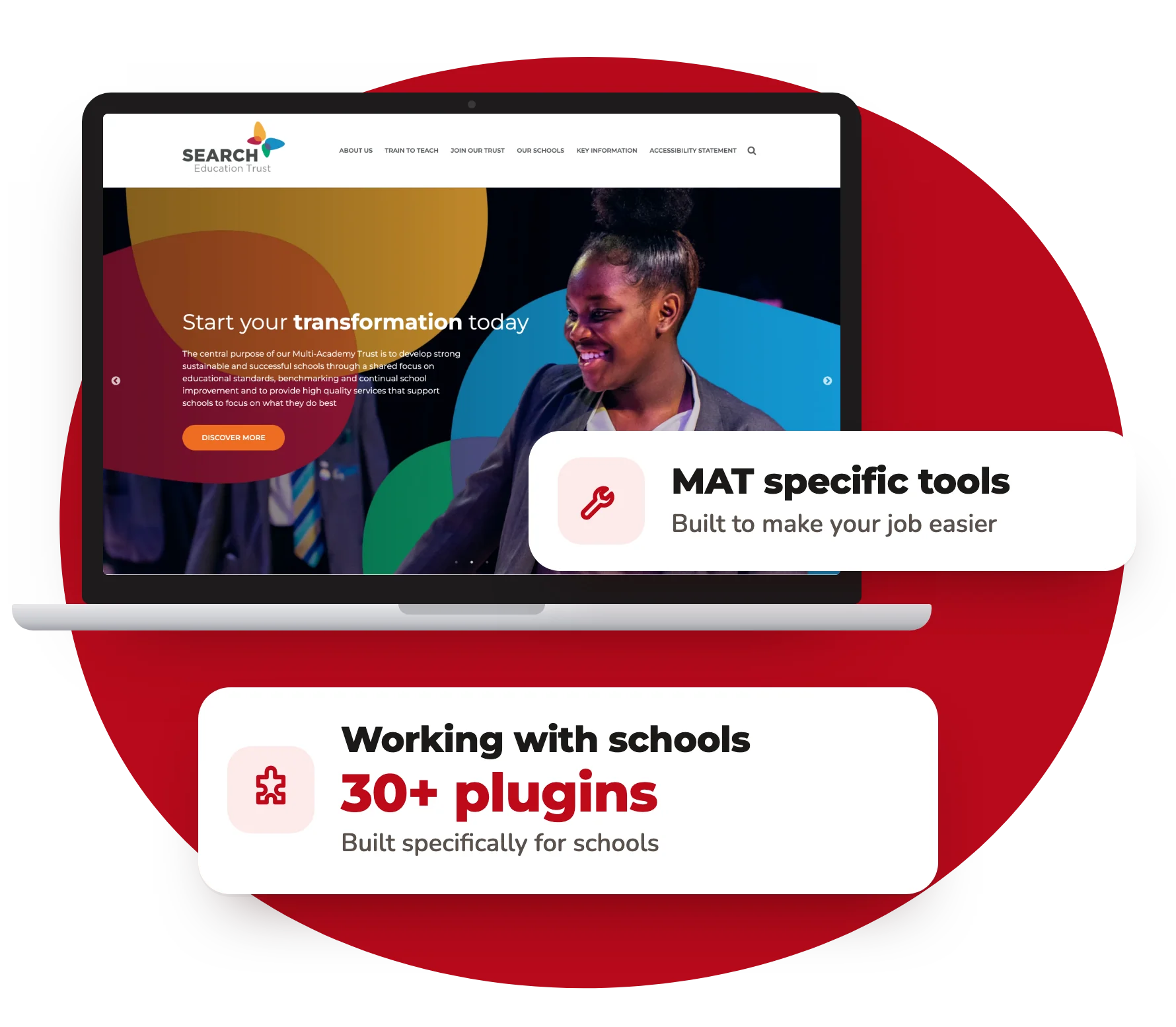
Everything a trust needs to run its websites
We’ve built a host of features into our sites to make a trust’s websites easier to run: publish once, share links and alerts, move between sites from the bar, and see where every school stands on compliance.
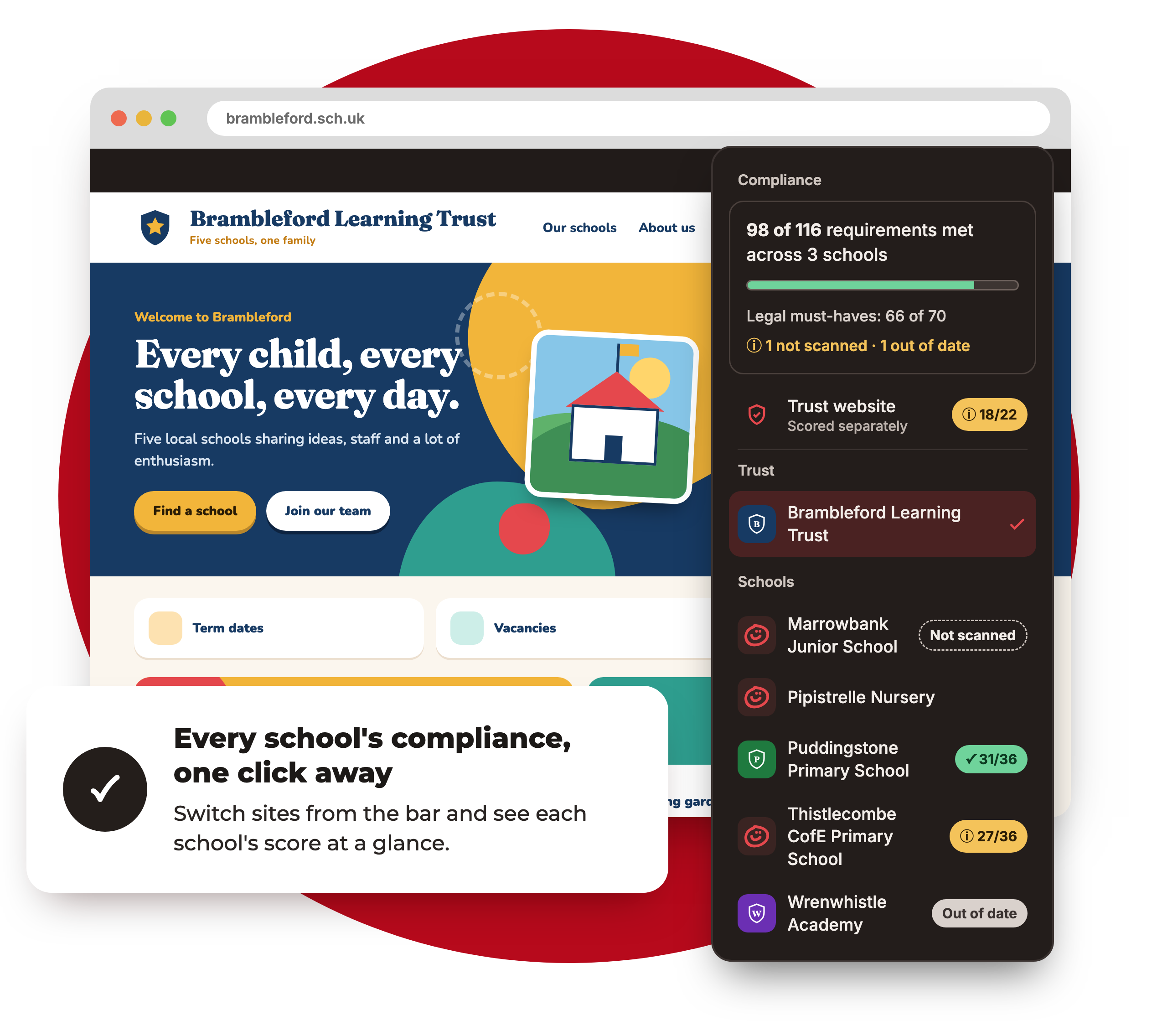
Move between sites, and see compliance at a glance
Wondering which school website has a statutory page missing, or a policy that has gone out of date?
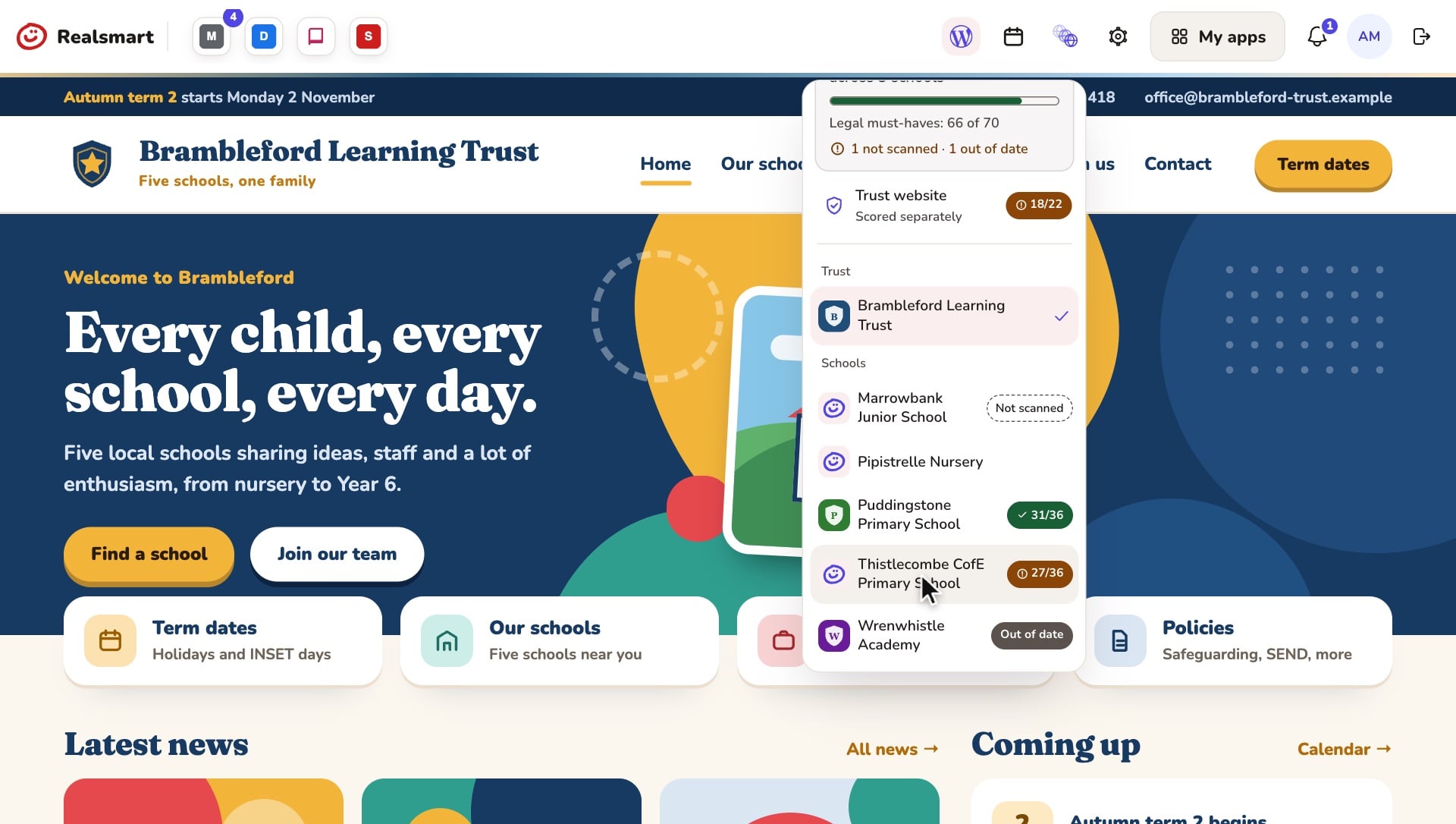
Trust and school staff with admin access can move between their trust’s websites from the bar on any of them. The list only shows the schools you can actually sign in to, the trust’s own website comes first, and the site you’re on is ticked. Admins at a member school see their own school and the trust website.
On the trust’s own website, trust admins also see a summary at the top of the switcher: how many requirements are met across all your schools, how many of the legal must-haves are covered, and how many schools are not scanned or out of date. Each school gets its own score, the trust website’s score is shown separately because trusts have their own set of requirements, and each score links to that school’s Website compliance page. Scores update after the nightly checks. Trust admins can see them, and so can Realsmart’s support team when they are helping your trust.
Want more than a score? Trust Hub, on the same trust website, shows every school against what the DfE expects, with a board report and a Monday briefing email. See Trust Hub ↓
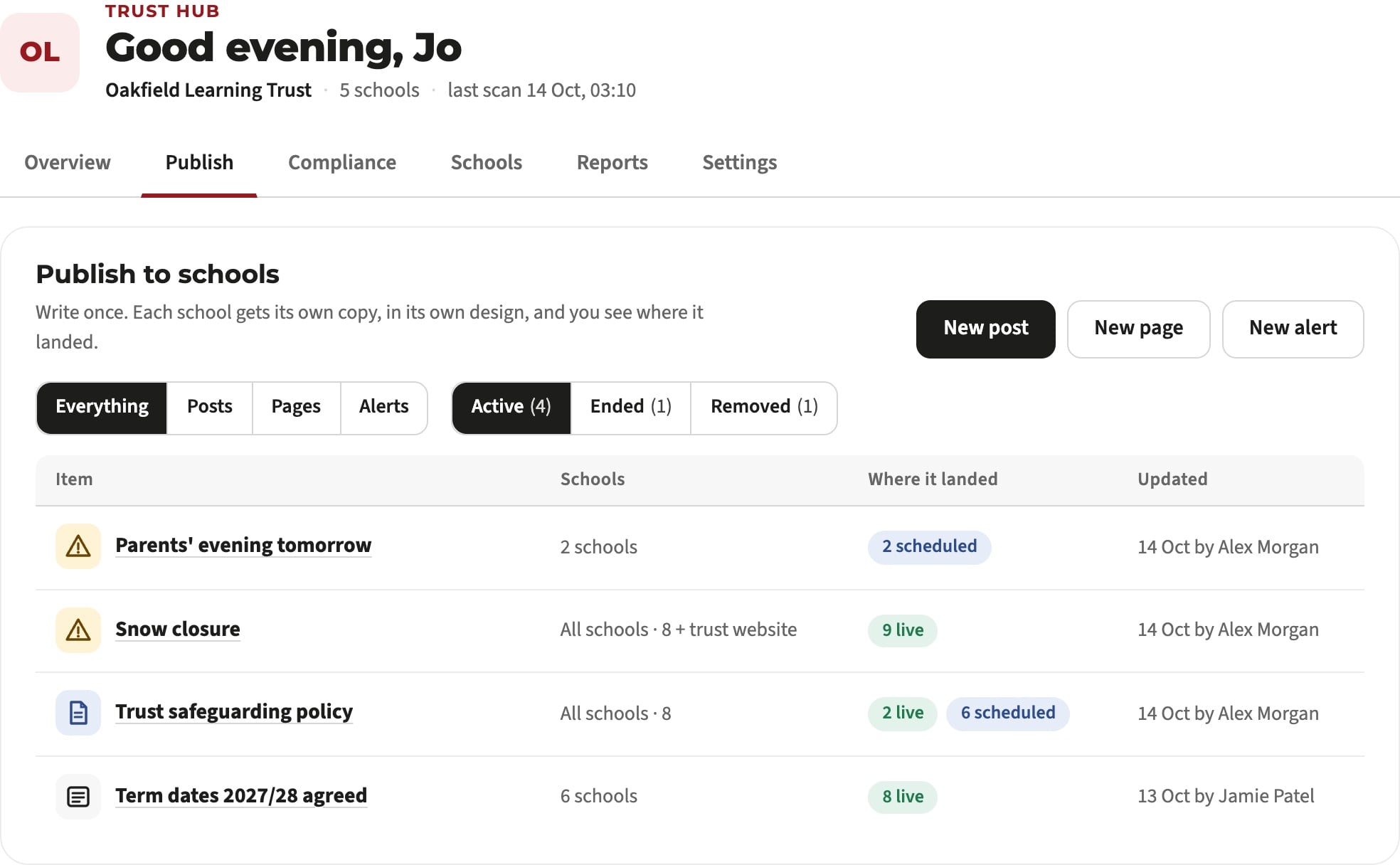
Post once, across every trust website
Why post the same content on several school websites when you can post it once?
With a click of a button you can send content and information out across all of the websites in your trust.
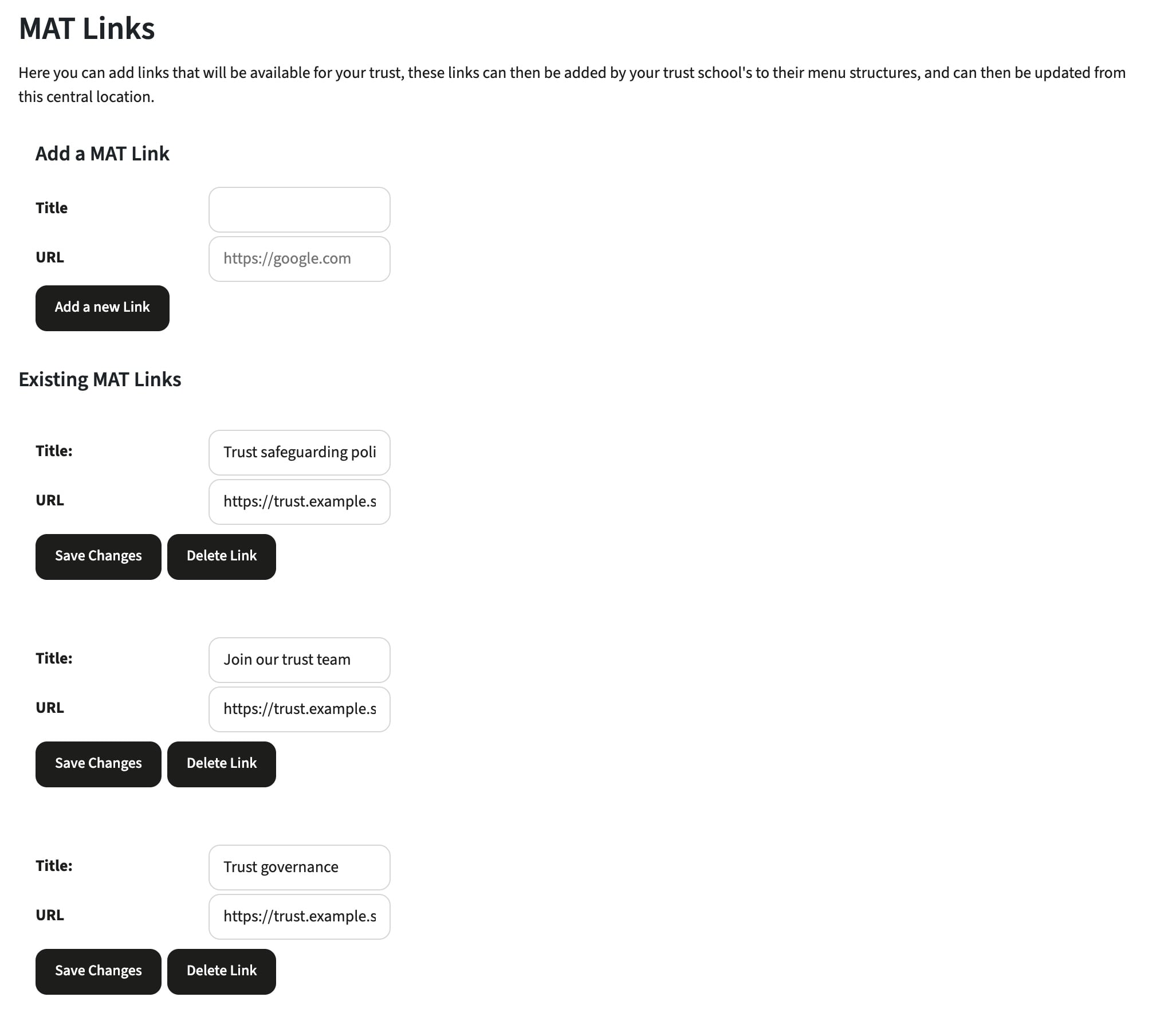
Manage shared links in one place
Have a common link in the menus of all your school websites?
When you only have to add or update a link in one place, keeping every site compliant is so much easier. Think of all the links that point back to the trust website.
Reminders when a policy needs updating
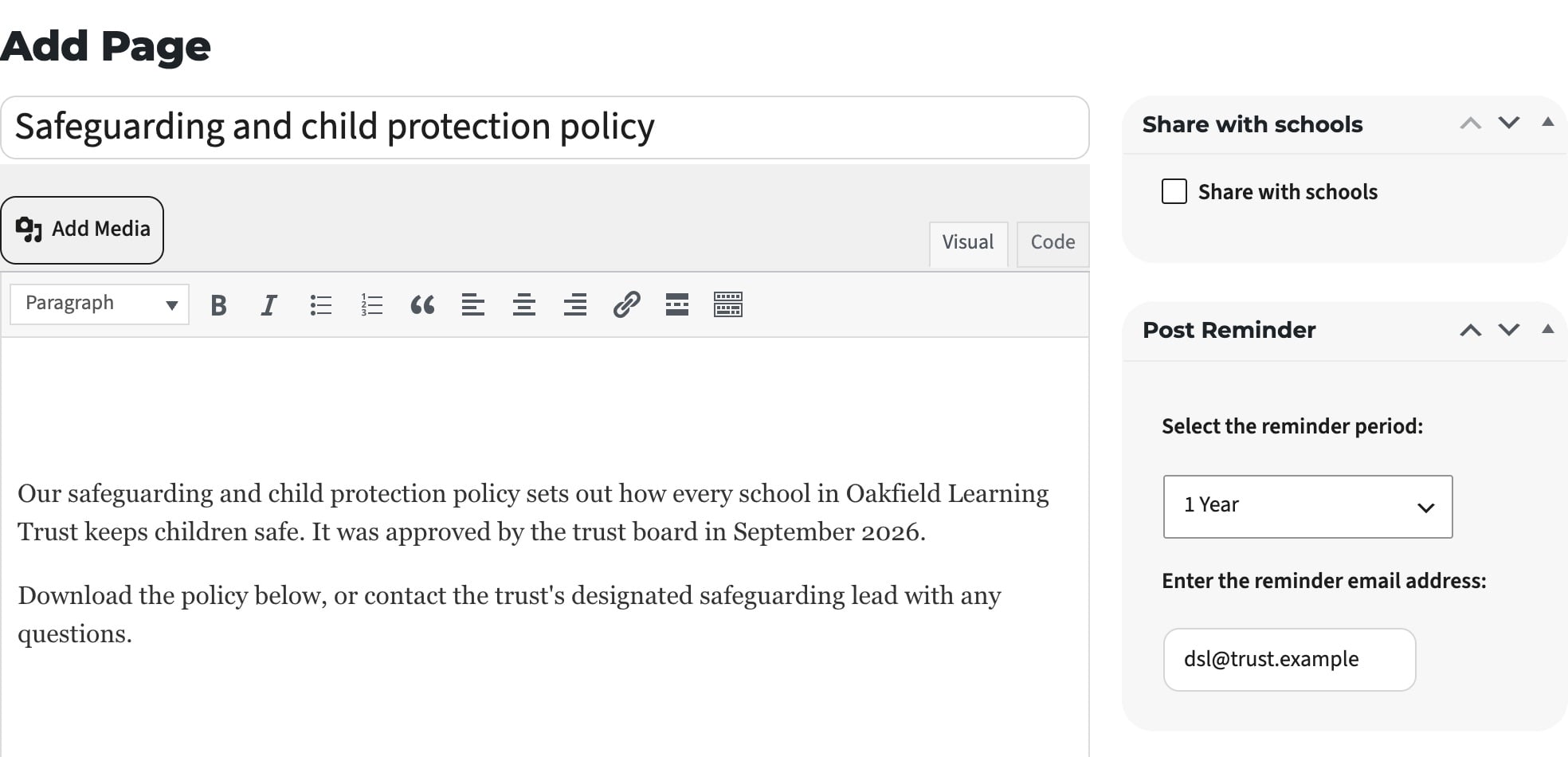
Want a reminder when a policy or page needs to be updated?
Our Update Reminders plugin lets you set a reminder period, and you’ll receive an email when it’s time to update the content. Great for policies.
Alerts across all of your trust and school websites
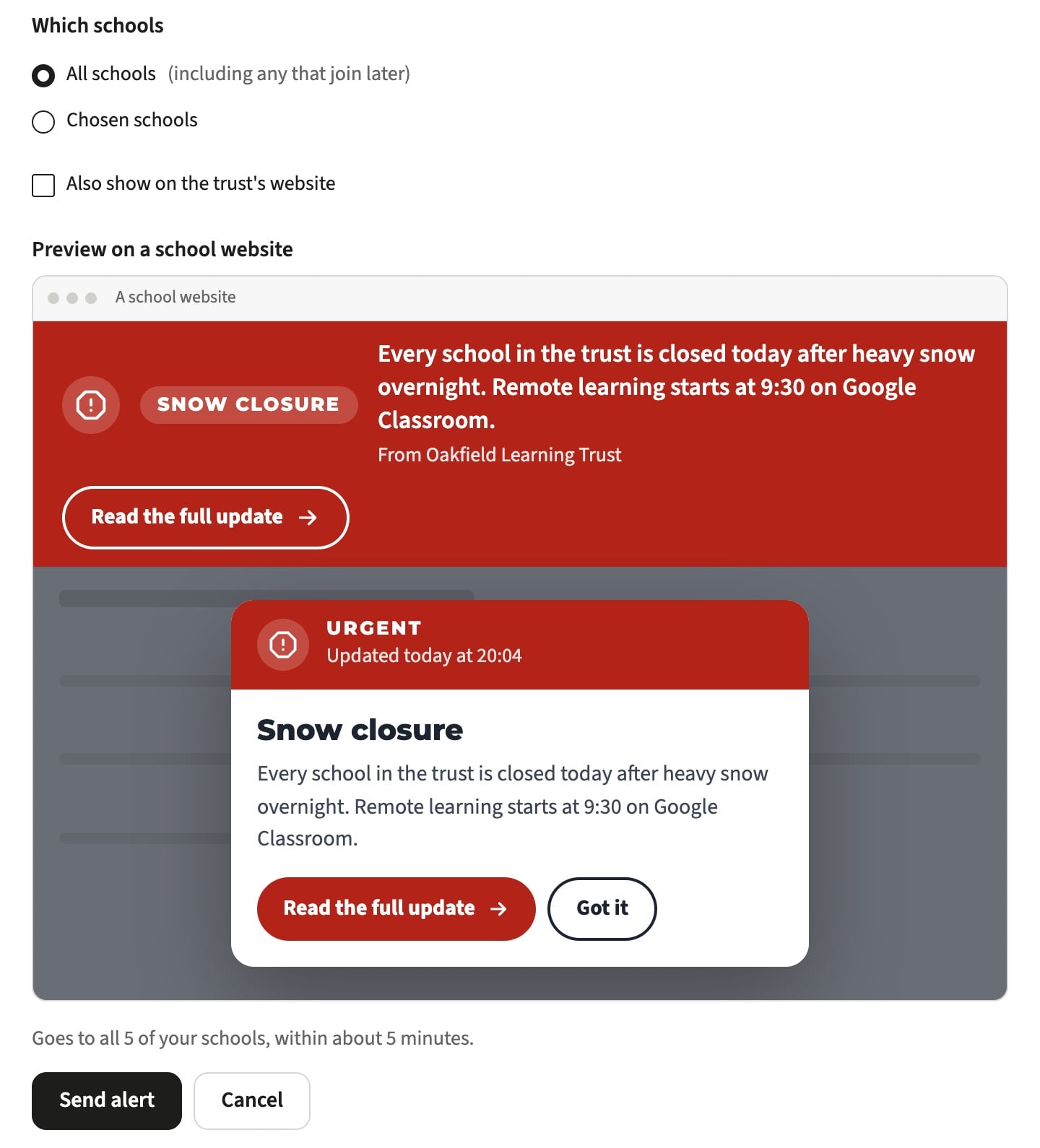
Something urgent that needs to appear on all of your sites?
Type your message, add a link and choose the type, from a notice to an emergency pop-up. You see a preview of how it will look before it goes, and it reaches every school website within about five minutes.
Every school’s website, checked every night
Each school website in your trust checks itself against the DfE requirements for its own type of school, and the trust website against the requirements for trusts.
Every policy read
Trust-wide policies in a shared OneDrive or Google Drive folder, school policies on the school’s own site: we read the text inside them, and show each requirement with the document and the words it came from.
Old trust names, found for you
Schools that have changed trust often still name the old one on a page, in a policy or in their admissions arrangements. We flag every place it appears, and links to the old trust’s website too.
Ofsted visit alerts
When a visit to one of your school websites looks like an inspector working through safeguarding, SEND, pupil premium and policies, we check it and email up to five people at the school. The trust chooses its own recipients in Trust Hub. It’s an early warning, not a prediction.
One dashboard for the central team
Trust Hub lives on your trust’s own website. Trust admins sign in once and see which schools need attention, and why.
Every school, against the DfE
A compliance grid of every school against what the DfE expects for its type of school, with the detail for each school one click away and a CSV export for your own tracking.
Inspection in view
Each school’s last inspection from Ofsted’s own records, a flag for schools that may be in their inspection window, and Ofsted website alerts sent to the people you choose, including for groups of schools within the trust.
Ready for the board
A one-page board report for trustees, and a Monday briefing email that tells the central team what changed and what needs doing.

Run every school’s accounts from one place
The same Realsmart sign-in behind your websites also runs your schools’ Google, Microsoft, Apple and Active Directory accounts, straight from each school’s MIS.
One admin sign-in for the trust
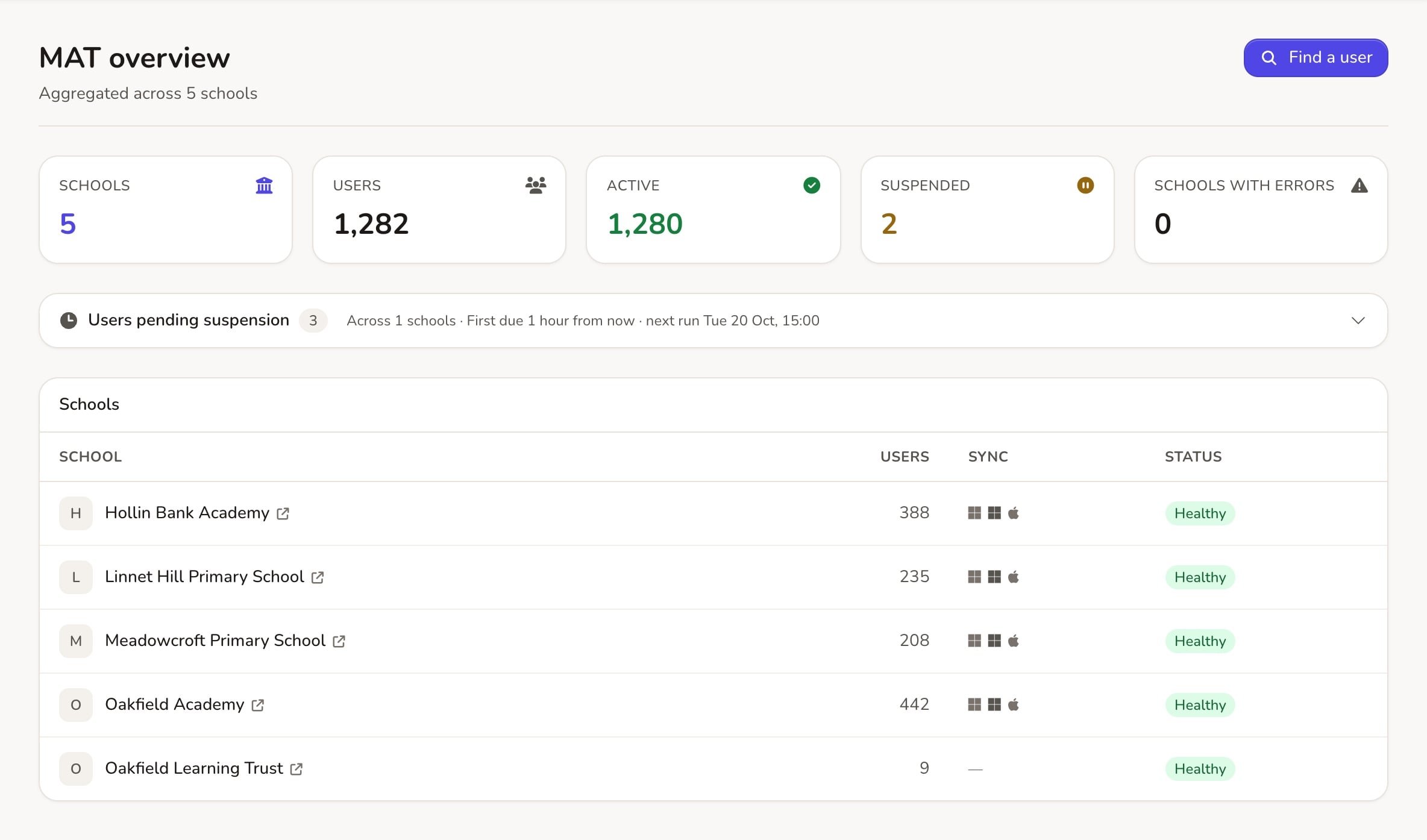
Trust admins switch between schools, or work across all of them in MAT overview: search for anyone, trace one person’s sync across every school, merge duplicate accounts and see each school’s sync health.
Safer sign-in, set once
Two-factor sign-in for every admin at every school, and 2FA defaults for staff and students set once for the trust. Schools can also switch on the DfE cyber security password standard and session limits.
The same Launchpad everywhere
Set the apps every school’s pupils and staff see on their Launchpad, and the order they appear in, once for the whole trust.
Signed in, shared and found on Google
Single sign-on to every website
Staff and pupils sign in to the trust’s and schools’ websites with their Realsmart account, including two-factor sign-in where you use it. Show pages, posts and sections only to signed-in staff, pupils or both.
Their own information, from the MIS
Signed-in pupils can see their own timetable, attendance and behaviour on the school website, straight from your MIS.
Vacancies on Google Jobs
Add each vacancy once and it appears on the website and in Google’s job search, then takes itself down after the closing date.
Trusts can also write a post, page or alert once on the trust website and share it with all their schools or chosen ones, from Trust Hub. Ask us to switch it on for your trust.
Built around how your trust works
We understand every trust has its own requirements. We listen, and offer the best support we can.
Flexible approach
If you want a consistent brand across all of your sites, we’ve got you. If you don’t, we’ve also got you. We don’t force you down a specific path.
Shared codebase
Updates and features are pushed out to every school at the same time, with one familiar content management system across all of your sites.
Security is key
We use the latest security methods, with multiple layers of protection for every site.
We know the deal
For trusts, running websites is more than keeping them online. It’s about cutting workload, avoiding duplicated effort, and making sure every site is secure, compliant and easy to use. Get that right and the central team spends less time on websites and more on supporting schools.
- Switch between your trust’s websites from the bar on any of them, seeing only the schools you can sign in to
- High end plugins including social media feeds and forms
- No hidden costs: we don’t charge for changes or support
- Easy access to our support and development teams. Have a request? Just let us know
Talk to us about your trust’s websites
Βι¶ΉΣ³» a free demo and we will show you how the trust features work across your schools’ websites, walk you through the content management system and answer any questions about cost.