
MIS to Google Workspace sync for schools
Your MIS, kept in step with Google Workspace and Classroom: users, groups, classes and calendars. We’ve been a Google for Education partner for over 15 years.
Google Sync
Realsmart connects to your Google Workspace for Education domain and keeps users, groups and classrooms in step with your school MIS. Nothing is switched on by default, and you see a full preview before anything touches your live domain.
Choose what syncs
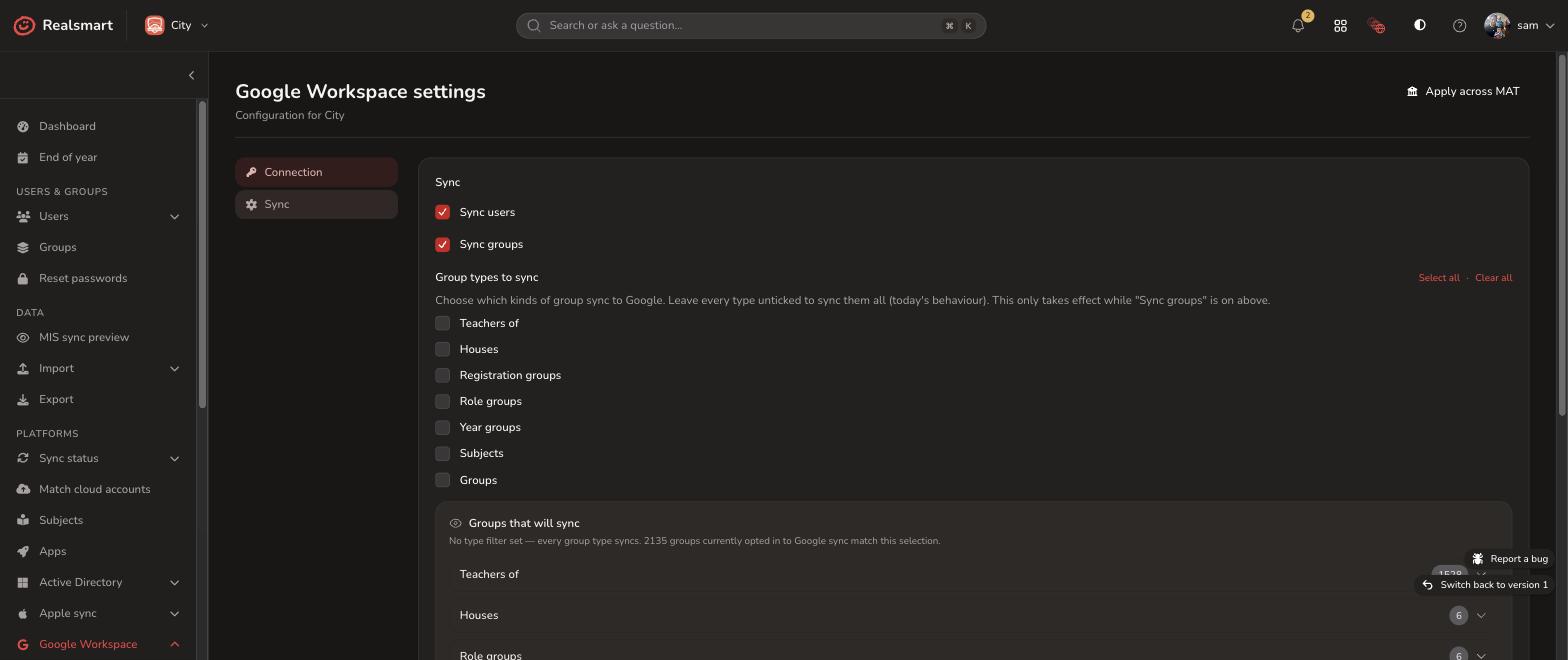
Turn on only what you need, from one sync panel:
-
Users, groups and passwords: Accounts created and updated from your MIS.
-
Staff and pupil photos: Copied to their Google accounts.
-
Organisation profiles: Consistent details across your school or trust.
-
Seven group types: Teachers of, houses, registration groups, role groups, year groups, subjects and custom groups, each with a live preview before you switch it on.
Organisational units, placed for you
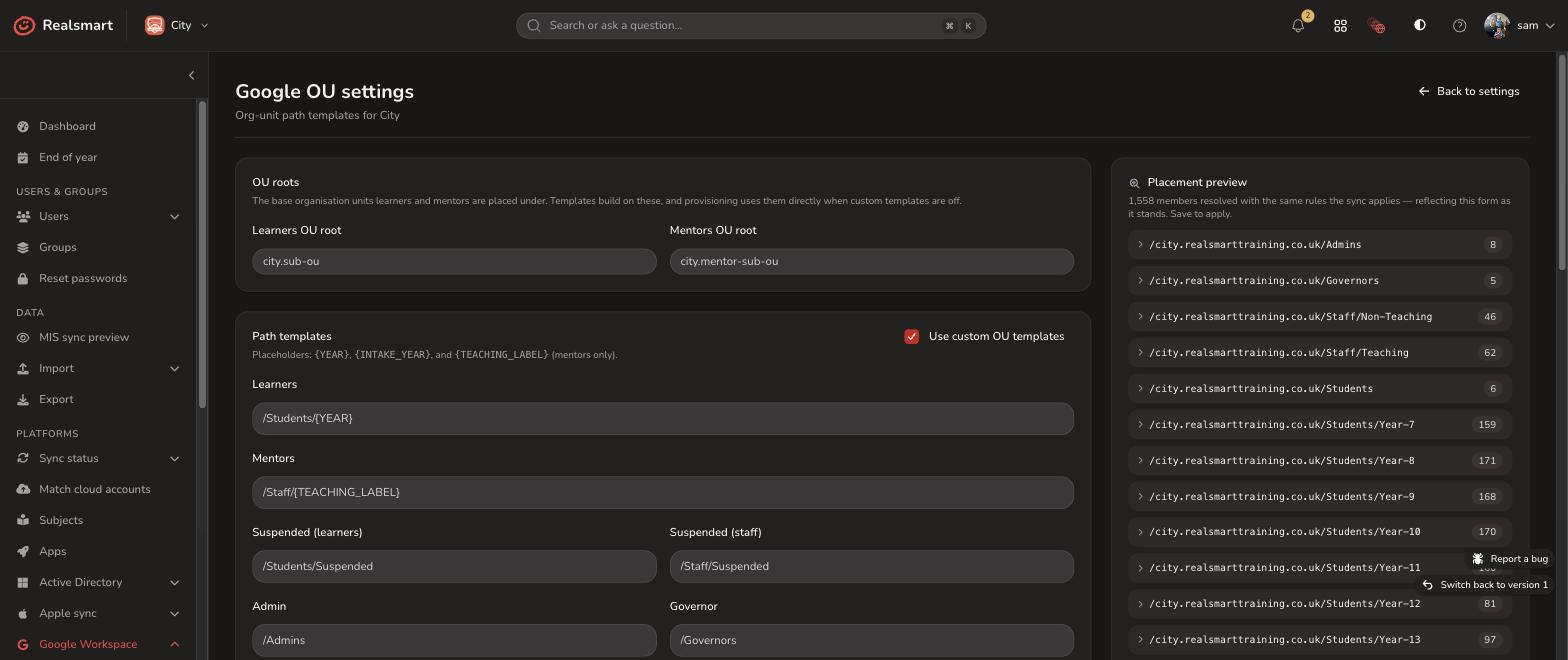
Build your Google Workspace OU structure from your MIS. Set the paths for pupils and staff once, using placeholders:
-
Flexible templates: Use placeholders like
{YEAR},{INTAKE_YEAR}, and{TEACHING_LABEL}to place each user automatically. -
Moving up a year: As pupils move up a year in your MIS, Realsmart moves them to the right OU.
-
Preview first: See how many users will land in each OU before you save, so nobody moves by accident.
Google Classroom, kept tidy all year round
Realsmart provisions your for you, and gives you the tools to keep it under control as the school year moves on:
-
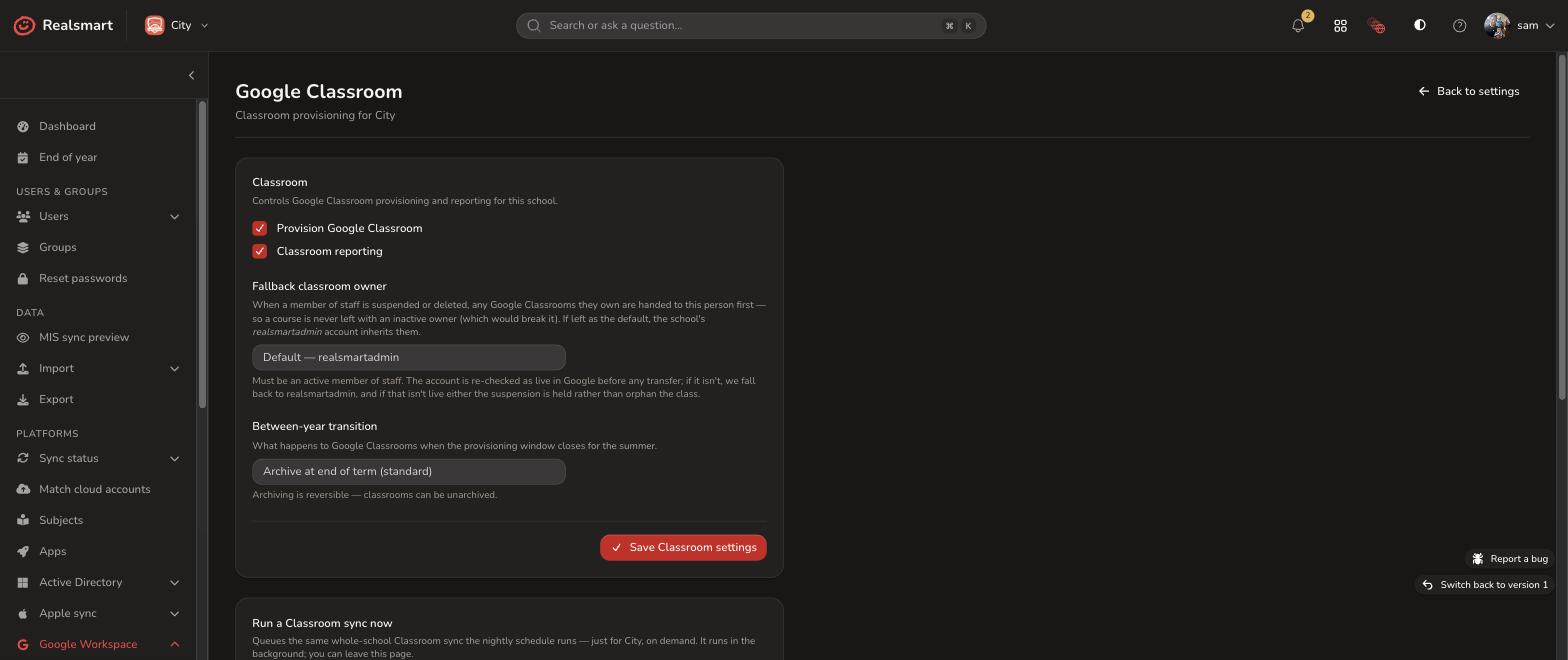
Automated Google Classroom provisioning from your MIS data, plus a manual �run a Classroom sync now� option whenever you need it
-
A fallback owner for any classroom that would otherwise be left without one
-
Choose what happens to classrooms between academic years: archive, leave as is, or archive at the start of next term, and reverse the decision if you change your mind
-
Bulk reactivate last year’s classrooms in a couple of clicks
-
A review screen for any classrooms that have ended up orphaned
Google Groups, with the right permissions
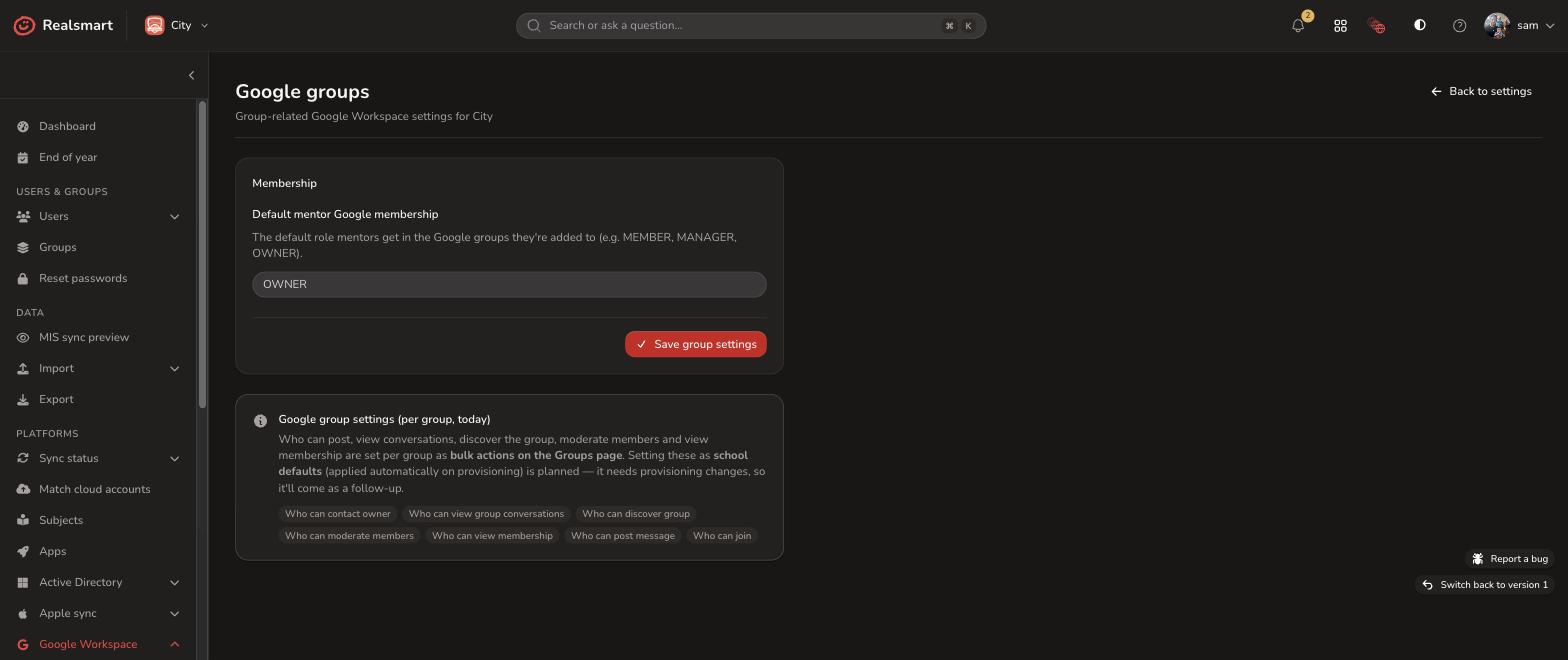
Realsmart links your MIS to Google Groups and lets you decide how each group behaves, which matters for safeguarding:
-
Default roles: Set standard roles for mentors and teaching staff across every synced group.
-
Group settings: Choose who can see the group, who can post, whether it can be found, and whether messages need approval.
-
In bulk: Apply safety rules and permissions to many groups at once from your dashboard.
Timetables straight into Google Calendar
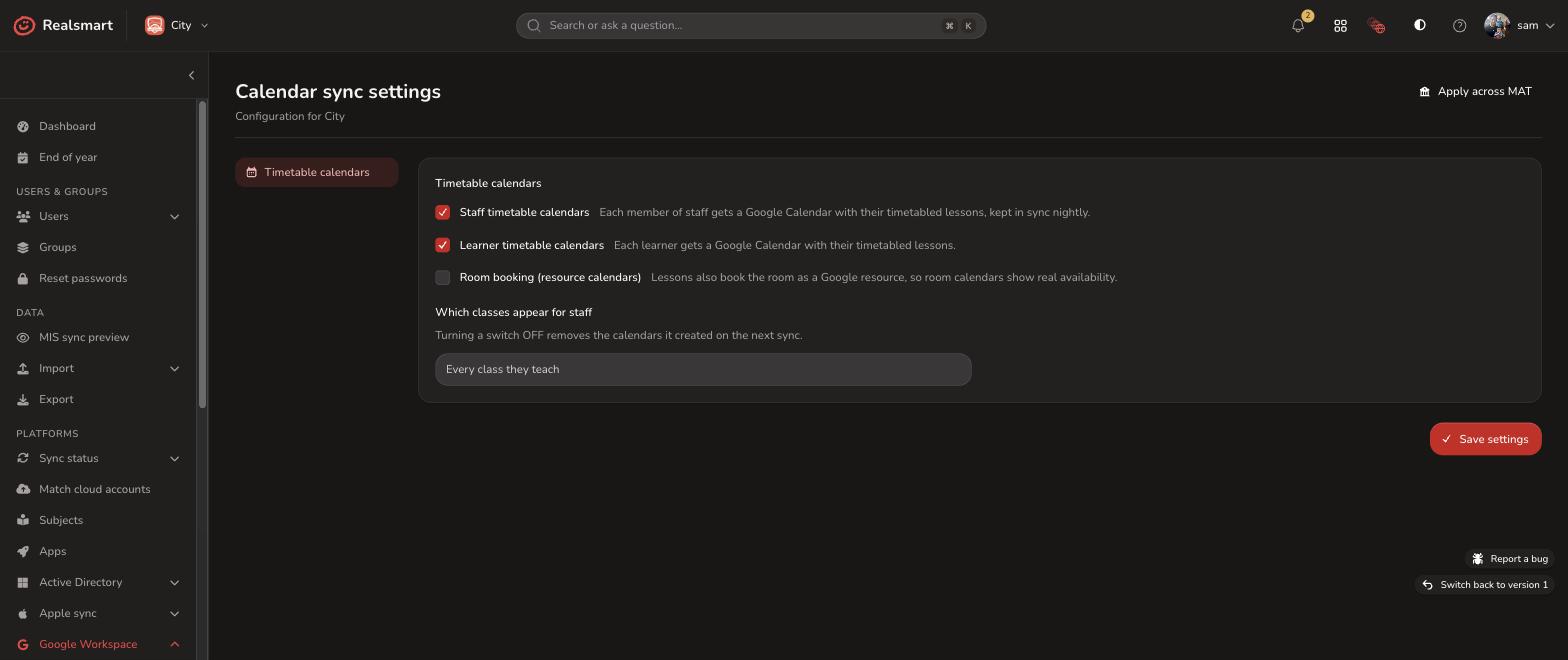
Every pupil and teacher gets their timetable in Google Calendar:
-
Nightly timetable sync: Your MIS timetable becomes a personal Google Calendar for every pupil and member of staff, refreshed overnight.
-
Rooms: Turn on room booking and your MIS rooms become bookable Google resource calendars.
-
Per-user checks: If someone’s calendar looks wrong, check and fix it yourself with the per-user calendar tools. No support ticket needed.
Already on Google? Keep your accounts
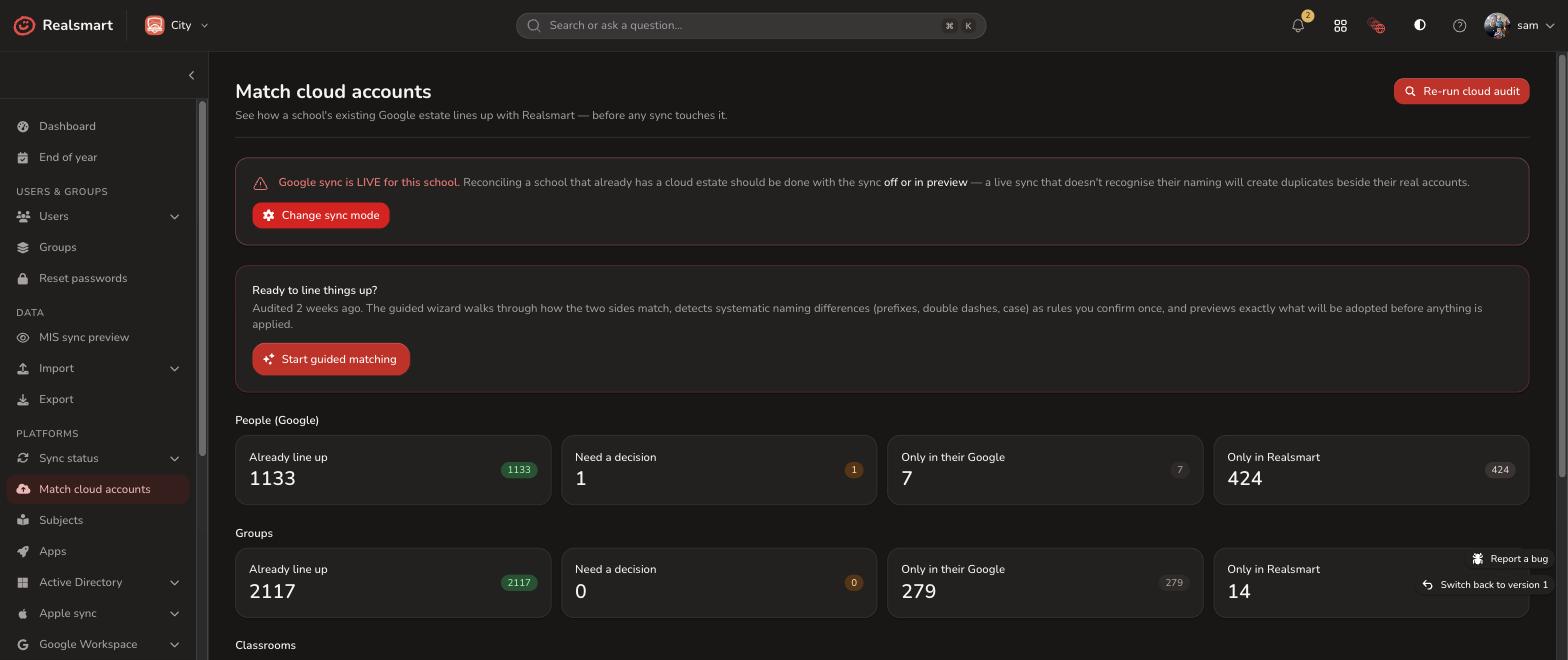
Moving to Realsmart shouldn’t mean starting again or creating duplicate accounts:
-
Read-only check: We scan your existing Google domain without changing anything.
-
Matching wizard: Pair existing Google accounts with MIS records using naming patterns.
-
Check before go-live: Preview every match and see exactly what will be linked before sync goes live.
See what’s happening and fix it yourself.
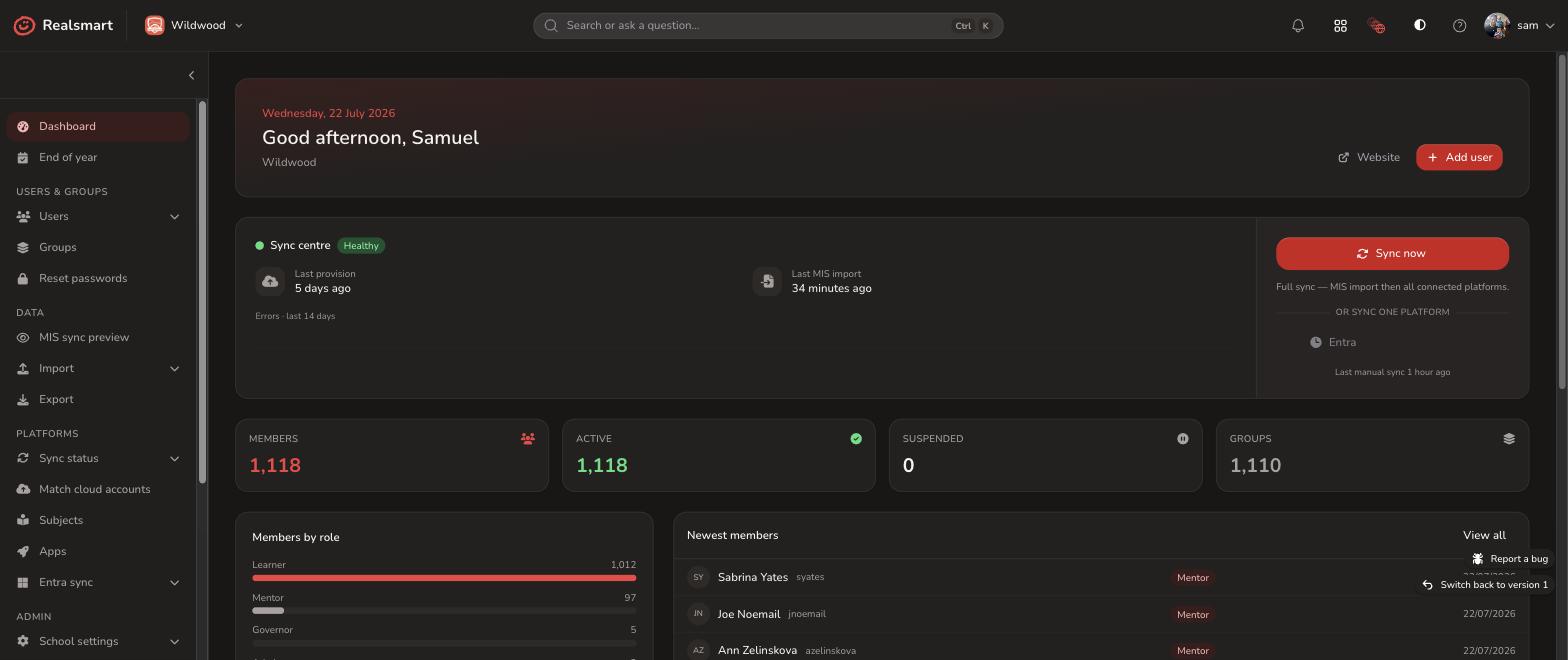
Sync runs on a schedule, or straight away when you need it. Preview changes before going live, then see everything that happens once you are.
Honest status dashboard
One screen shows the health of your whole sync: what’s running, what’s fine and what needs you.
Plain-English errors, in priority order
No cryptic codes. Issues are grouped, explained in plain English and sorted by urgency, so you know what to fix first.
A full audit trail
Every account change, new group and calendar update is logged, so you can see what happened and when.
Getting started
Connecting your MIS to Google Workspace takes a Google Workspace super admin to authorise a service account. Our UK team will guide you through it.
Once connected, you get:
User sync
Users, passwords and photos from your MIS to Google.
Seven group types
Houses, year groups, subjects and roles, each previewed before it syncs.
OU templates
Placeholders like {YEAR} and {INTAKE_YEAR} put everyone in the right place.
Classrooms all year
Created automatically, and archived your way at the end of the year.
Nightly calendar sync
Push timetables and bookable room calendars straight to Google Calendar.
Cloud reconciliation
Match your existing Google accounts before you switch on.
Fallback classroom owners
A backup owner, so no classroom is ever left stranded.
Dry-run preview
Test connections and preview changes before anything touches live data.
Run Google Sync and Entra Sync from one web application.
Use Microsoft 365 as well? Entra Sync gives you the same preview, live status, plain-English logs and self-service for Microsoft.