
MIS sync you can check before it runs
Most sync tools leave you in the dark until a pupil can’t sign in. Ours shows you every change first, across Google, Microsoft, Apple and Active Directory.
Built for UK schools and trusts
Nothing to install for Google, Microsoft or Apple
Why schools are switching
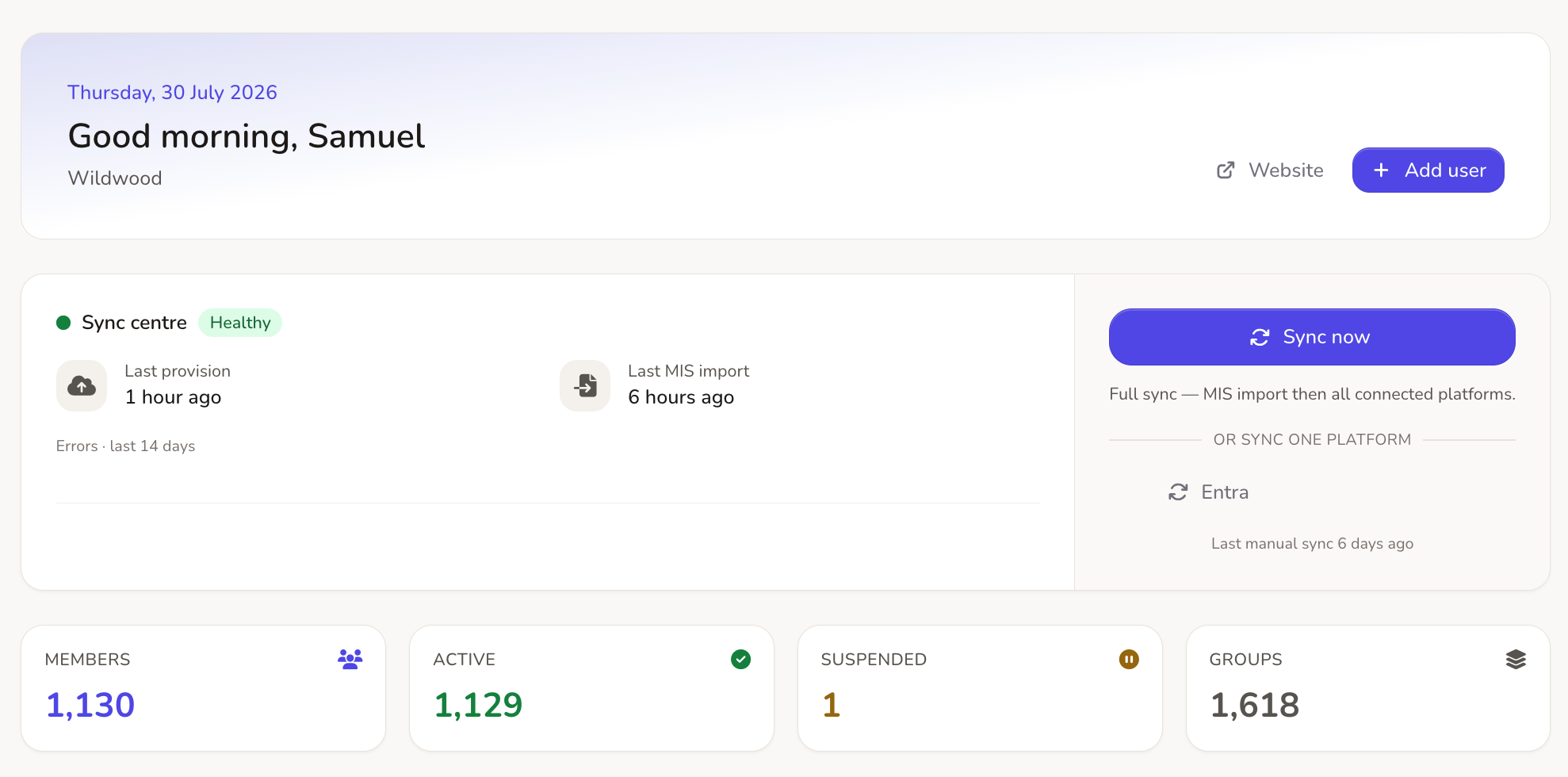
Scripts and older sync tools run blind. Realsmart shows you what will change, and lets you fix it yourself.
See every change first
Other tools: You find out a sync failed when the phone rings at 8.45am.
Realsmart: Preview shows you every change before anything moves.
Fix it yourself
Other tools: Changing one rule means a support ticket and a wait.
Realsmart: Change rules per group, check deletions before they happen, and see every action in the audit trail.
Try the new year first
Other tools: Summer rollover runs blind, and wiped classrooms or duplicate accounts turn up in September.
Realsmart: Sync freezes over summer, so you can dry-run the whole new year first.
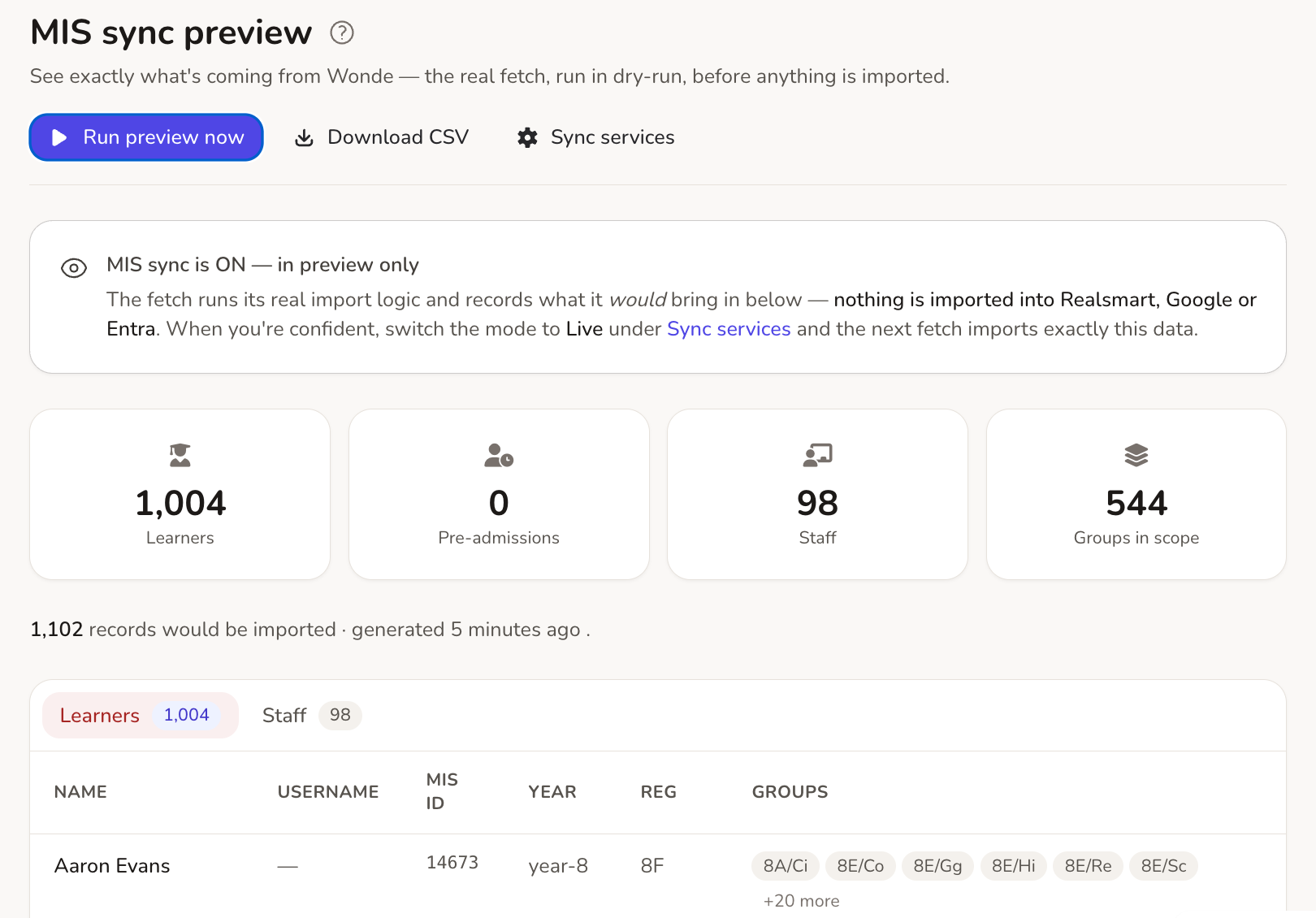
See the exact plan before you press sync
Run sync in preview to see exactly what will come in (pupils, staff and groups) without changing anything. If you already have Google or Entra accounts, our cloud reconciliation tool checks them against your MIS and suggests matching rules, so you keep them rather than create duplicates.
Google Workspace and Classroom, done for you
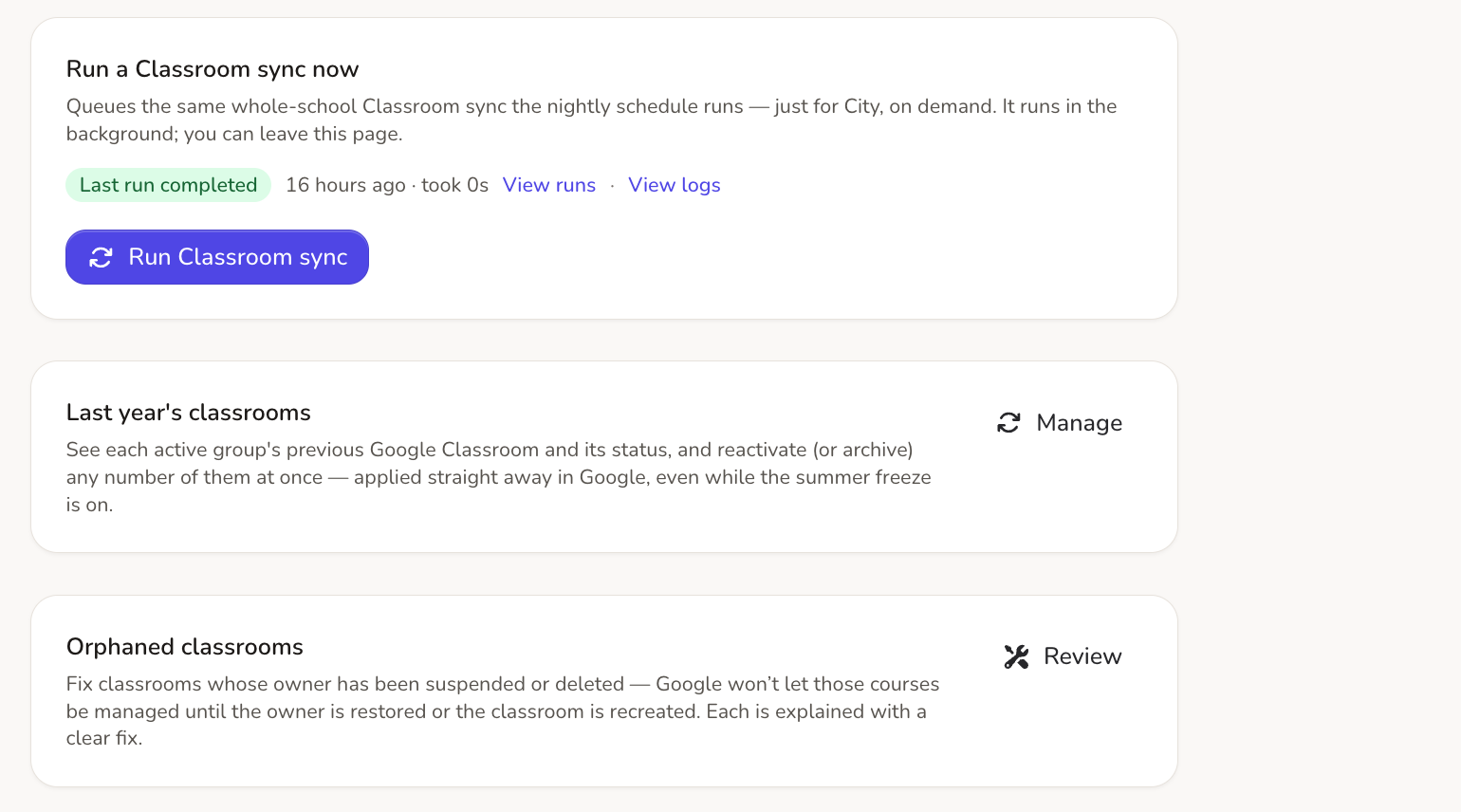
Create accounts, organisational units and Google Classrooms straight from your MIS. Every class gets a fallback owner so it isn’t orphaned when a teacher leaves, and you decide how classes are archived at the end of term.
Microsoft 365 and Entra ID, kept in step
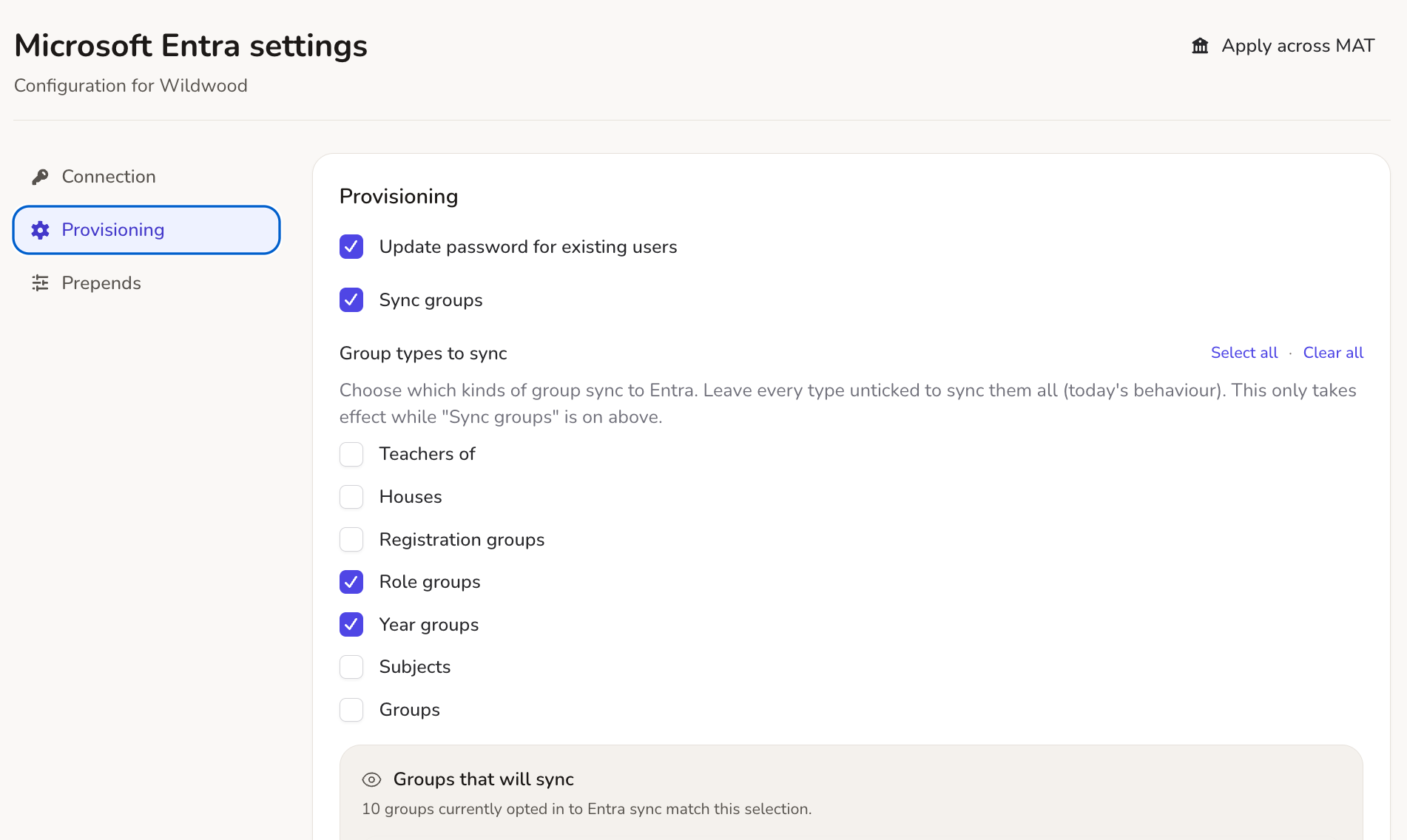
Create users, administrative units and groups straight from your MIS. Choose which group types sync (registration groups, houses, subjects), give groups email addresses on your own domain, and turn on single sign-on with SmartLogin so everyone signs in once.
Active Directory, on your own servers
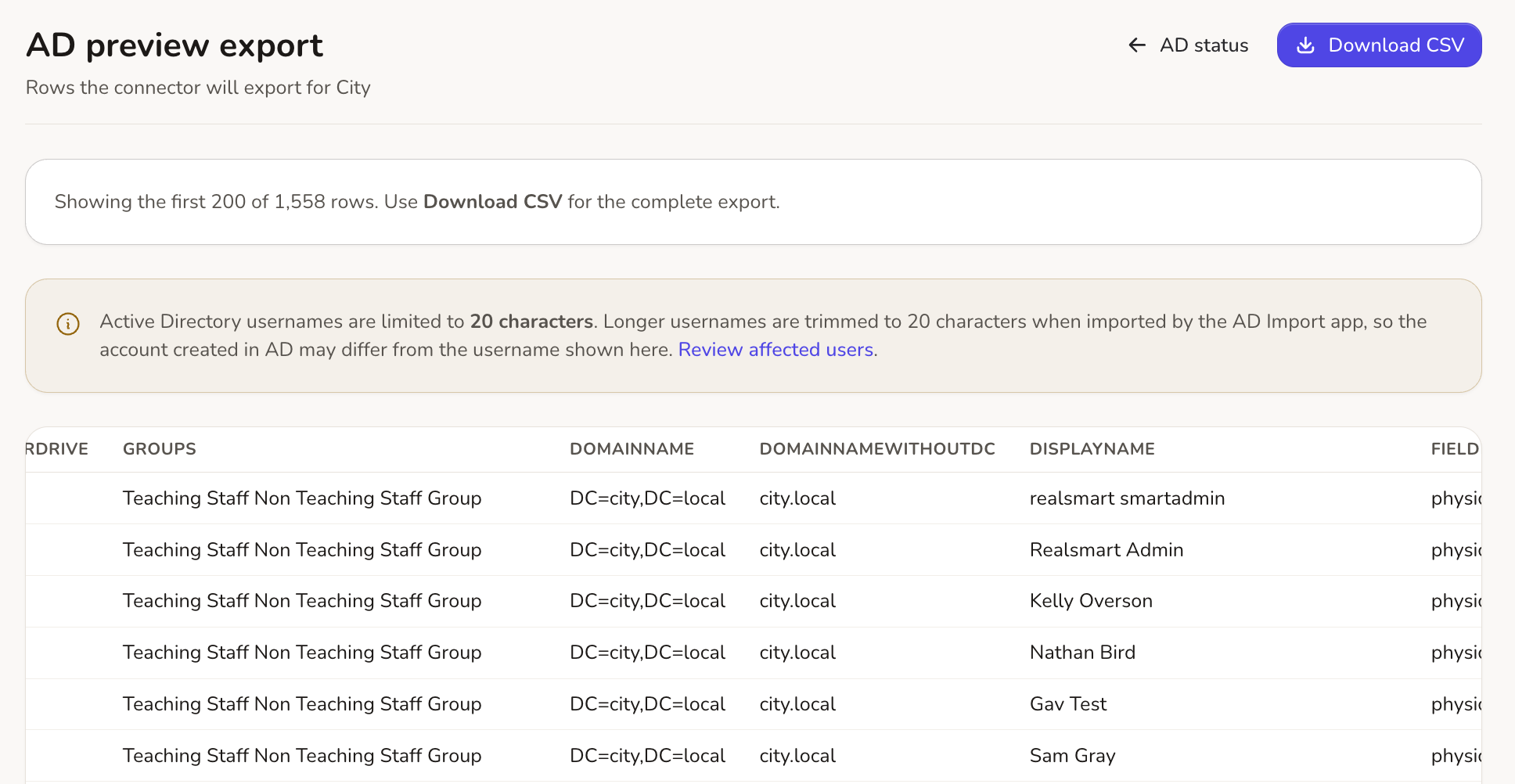
A small connector on your Windows Server gives Active Directory the same preview as the cloud. Map year groups and intake years, sync passwords securely both ways, and check the export queue before the connector runs.
Apple School Manager, without the spreadsheets
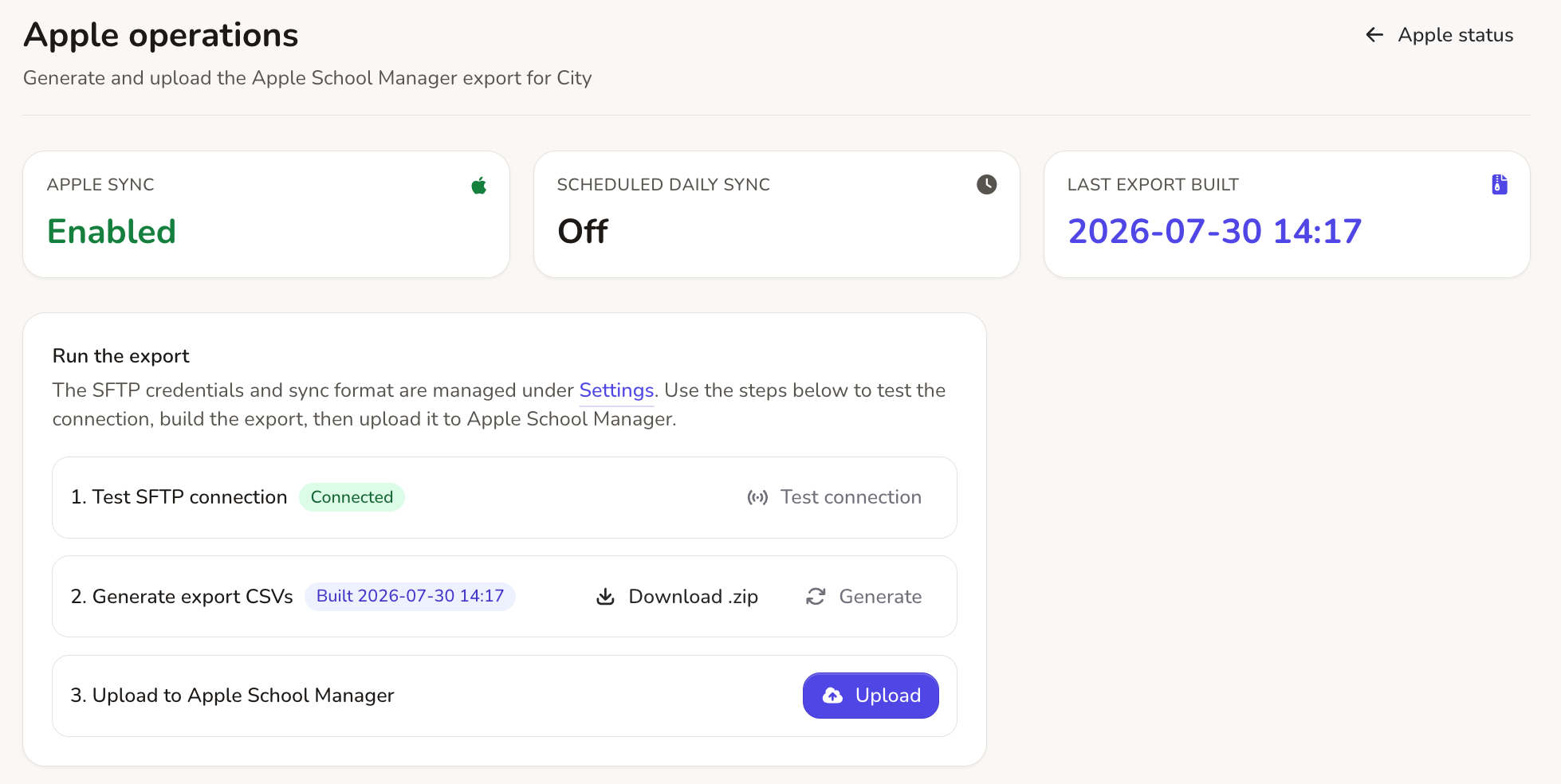
Managed Apple IDs without the CSV wrangling. Realsmart builds the OneRoster files from your MIS and uploads them to Apple over secure SFTP, on demand or every day.
Built for multi-academy trusts
Run every school from one dashboard. Follow one person’s sync history across every school, merge duplicate staff accounts, and stop schools on a shared Google domain removing each other’s members.
End of year, without the fear
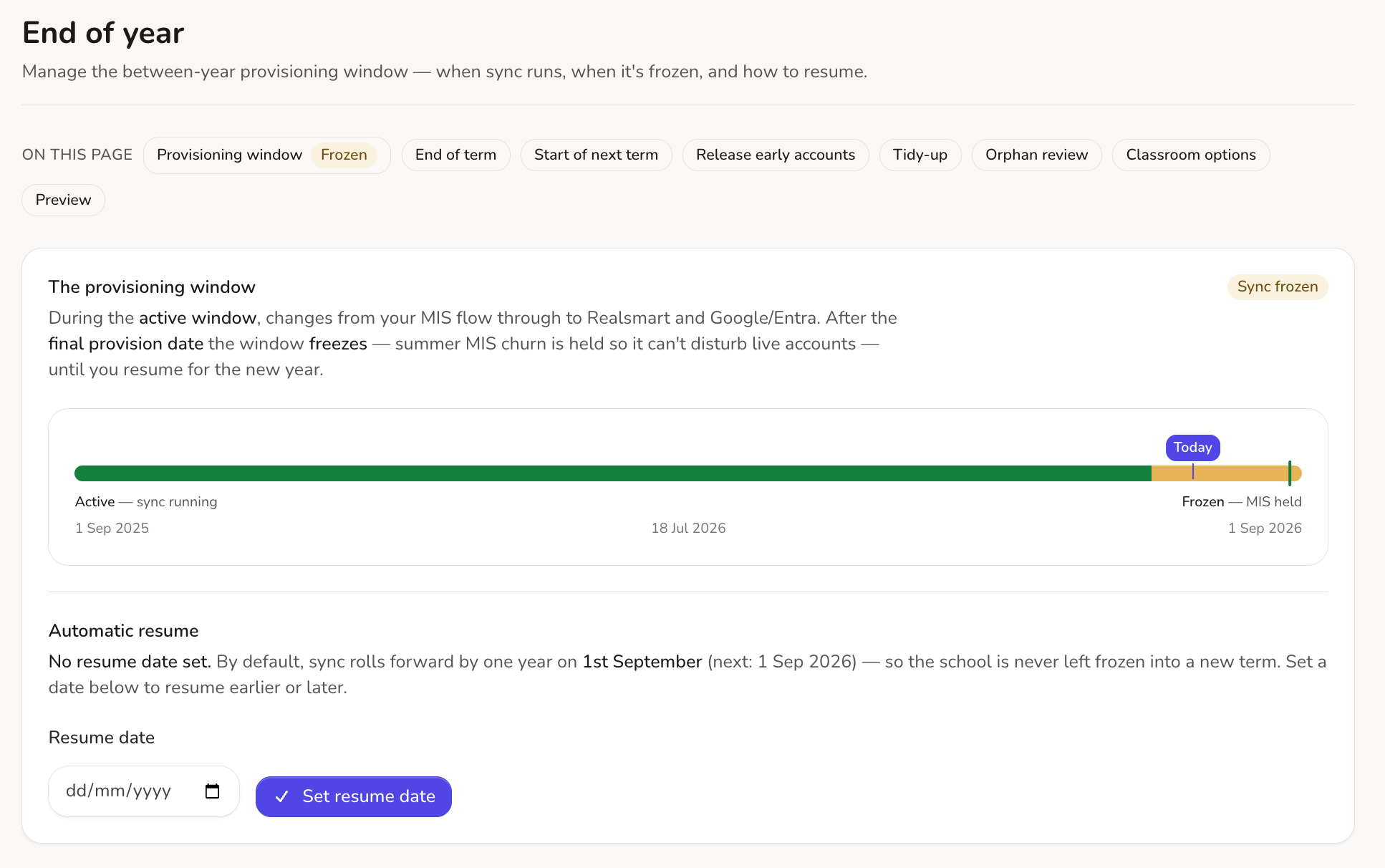
Summer is when sync tools tend to break schools. Ours freezes instead, holding back the summer churn in your MIS (leavers, timetable rebuilds) so live accounts are left alone. Need logins for September starters? Use Release Early Accounts to provision them on demand during the freeze, without risking the rest of your school’s data.
Everyday admin, minus the grind.
The features that help with the small jobs every week, as well as the big summer change-over.
Merge duplicate accounts
A guided wizard to merge duplicate accounts within a school or across your trust. See exact cloud platform impacts, keep old email aliases, and reverse changes with a full undo history.
Trace anyone across the trust
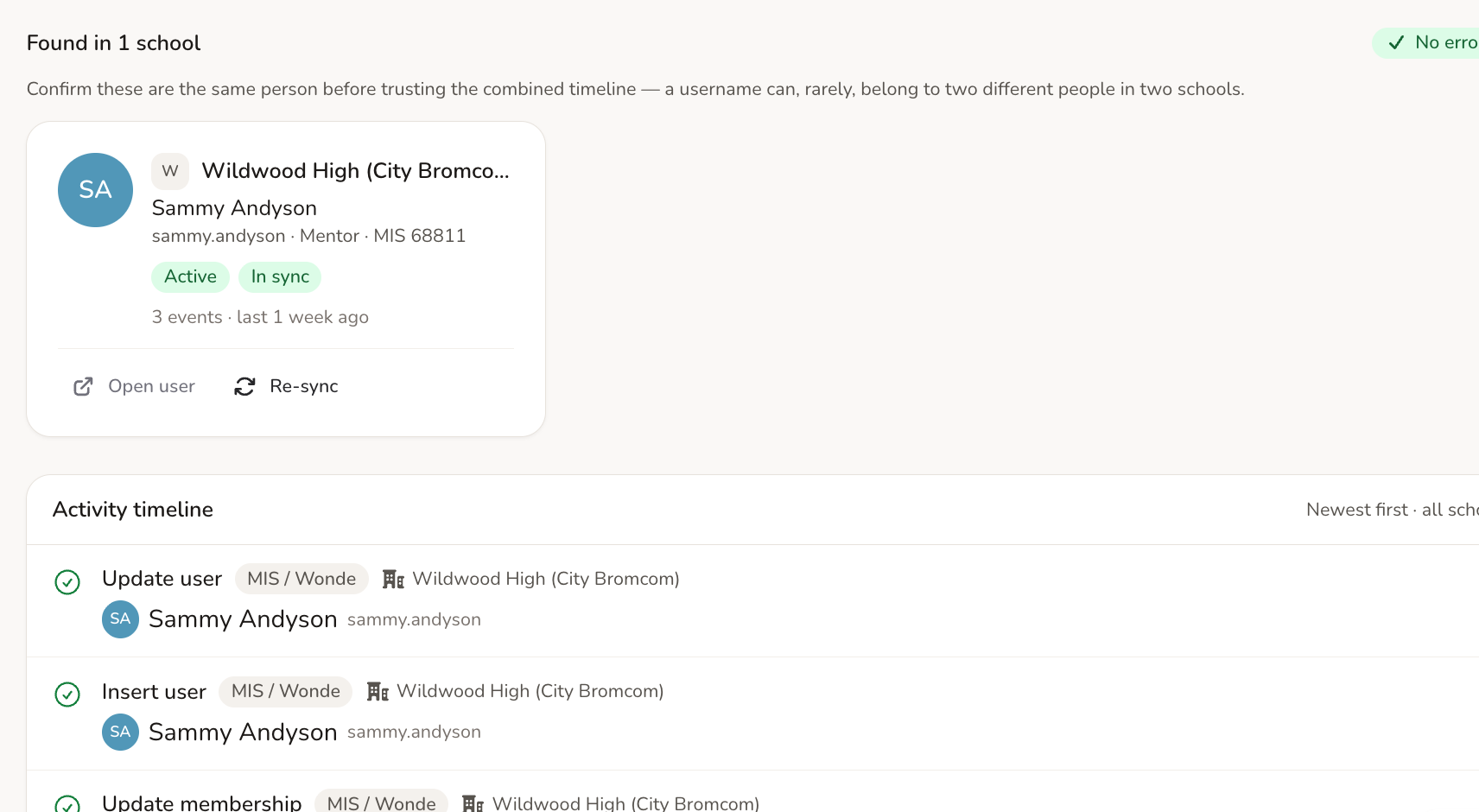
Search one username and see their sync history across every school on one timeline, with one-click fixes.
Tidy up old accounts
Find Google accounts and empty groups that are in the cloud but not in Realsmart. Check when they last signed in, then suspend or remove them. Nothing is deleted automatically.
Protect a shared domain
If your trust shares one Google domain, schools can’t accidentally remove each other’s group or Classroom members.
Change groups in bulk
Select multiple groups to update settings, merge memberships, configure Google group permissions, or change Classroom states across the trust in one go.
Limited admin roles and an audit trail
Give staff only the access they need (a mentor who resets passwords, say), and record every admin change in an audit trail that can’t be edited.
See exactly what’s happening. Fix things yourself. No ticket required.
Every sync runs on a schedule or when you ask. You can see every change to your data before it happens, with a way to fix anything that goes wrong.
An honest status dashboard
Failures grouped by root cause with direct Fix, Retry, or Ignore actions, plus real-time health across every connected platform.
Live cloud checks on every record
Check what Google and Entra hold for any user from their edit page, without opening another admin console.
Immutable admin audit trail
A record of every admin action that can’t be edited: who changed what, when and from where.
Every platform included. No add-ons, no enterprise tier.
Google, Microsoft, Active Directory and Apple are all in one product, along with the trust tools, preview, audit trail and end-of-year freeze. One price, every school.
Frequently asked questions
Which MIS does Realsmart Sync work with?
Realsmart Sync connects to your MIS through , so it works with SIMS, Arbor, Bromcom and every other management information system Wonde supports. If Wonde can read it, we can sync it.
Can we sync to Google Workspace and Microsoft 365 at the same time?
Yes. Each platform is an independent, per-school toggle. Plenty of our schools run Google Workspace, Microsoft Entra, Active Directory and Apple School Manager side by side from the same MIS feed, and each one can be in live or preview mode independently.
Do we need to install anything?
For Google Workspace, Microsoft 365 and Apple School Manager, nothing at all: they’re cloud to cloud. For on-site Active Directory there’s a lightweight connector that runs on your Windows Server and authenticates with a school-specific token.
Is it safe to try alongside our current setup?
Yes, that’s exactly what preview mode is for. We connect your MIS, the sync composes a full plan for your school, and nothing is applied until you switch the platform to live. If you already have a Google environment, cloud reconciliation lines it up with your MIS first, so the sync adopts your existing accounts instead of duplicating them.
What happens at the end of the school year?
The provisioning window freezes over summer on a final provision date you set yourself. Google Classrooms are archived according to your policy, and sync resumes automatically for the new year, with a full dry-run preview available before any of it happens.
Does it support multi-academy trusts?
Fully. A trust-wide overview, cross-school user search and log tracing, duplicate merging with undo, per-admin school access and trust-wide app defaults are all built in: one subscription, every school.
See Google Sync and Entra Sync in full.
This page is the whole picture. For the complete feature by feature detail on a single platform, head to our dedicated Google Sync or Entra Sync pages.